

Monthly subscription 100% business use Effective for any business The music expert since 1979 Ready-to-use playlists
Monthly subscription
100% business friendly
Effective for any business
The music expert since 1979
Ready-made playlists
BCM Stream Pro Windows
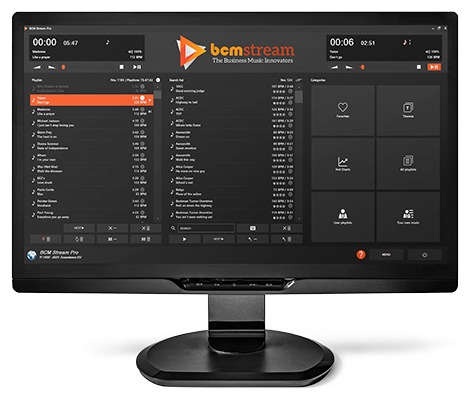
Installing software
Would you like to install the Pro Windows player on your PC or laptop? If so, go to the 14-day trial page and download the software for free. (Compatible with Windows only)
For more options, check out:


Frequently asked questions
What is BCM Stream Pro Windows?
BCM Stream Pro Windows is a professional music streaming solution for the hospitality industry and businesses, among others, with extensive possibilities for music planning, theme lists and the use of the Request and Remote App.
What features does the Windows version offer?
The Windows version of BCM Stream Pro offers advanced scheduler features, extensive search capabilities, direct control via the BCM Remote app and access to ready-made theme lists.
View an overview of all key features.
What companies is BCM Stream Pro suitable for?
It is ideal for businesses that want customized music experiences, such as hospitality, retail, gyms and offices.
Is BCM Stream Pro for Windows easy to install?
Yes, the software is easy to download and install on any Windows PC, laptop or tablet. You can download the download and try it for free for 14 days.
Can BCM Stream also be used as a multi-zone system?
No, BCM Stream does not support multiple zones. To play different music in multiple zones in one location, you need a separate device for each zone.